把任意材料变成试卷
Material into exam
上传 PDF / Word 或粘贴一段材料,自动切分知识点,生成单选、判断、填空和简答。
Upload a PDF or Word file, or paste text: get topics, multiple-choice, true/false, cloze and short-answer questions.
上传 PDF / Word 或粘贴自己的学习材料,自动出题并逐得分点判定;可以就材料提问且答案逐句标注出处,错题按 FSRS 自动排期复习,数据可导出、判错可上报、账号可删除。
把自己的学习材料变成一套可以自动判分、并且能解释为什么得这个分的考试。

上传自己的材料 → 自动出题 → 逐得分点判定 → 错题本与薄弱点。自带模型 Key(支持 DeepSeek、智谱 GLM、通义千问、Kimi、OpenAI、Claude 等),材料与密钥都只在你自己的账号下。
Upload your material, generate an exam, get point-by-point grading, then track mistakes and weak topics. Bring your own model key (DeepSeek, GLM, Qwen, Kimi, OpenAI, Claude and more); your material and keys stay in your own account.
备考的瓶颈通常不是「没有资料」,而是「不知道自己哪里没掌握」。读完一份材料,感觉都懂了;真正被问到时,才发现有些要点根本没说出来。而通用题库和你的材料往往对不上:题目是别人出的,考点是别人的重点。
The bottleneck in exam prep is rarely the material. It is not knowing which parts you actually failed to learn. After reading, everything feels understood; when questioned, some points turn out to be missing. Generic question banks do not fix this either, because the questions and the key points belong to someone else.
这个项目的目标很具体:把你自己的材料变成一场考试,并且让每一分都能追溯到「哪一个要点没说到」。
The goal is narrow: turn your own material into an exam where every point traces back to a specific idea you did or did not express.
材料是单向输入的。没有问答环节,就很难知道要点是否真的记住了。
Material is one-way input. Without a questioning step, there is no evidence that a point was actually learned.
简答题只给一个总分,看不出是漏了定义、漏了条件,还是把结论说反了。
A single score for a written answer hides whether a definition, a condition or the conclusion itself was missing.
题库考的是别人的重点,答案也无法回到你手上这份材料的原文。
Question banks test someone else's priorities, and their answers cannot be traced back to your source document.
没有错题本和掌握度,复习只能从头再来一遍。
Without a mistake log or mastery signal, revision restarts from zero every time.
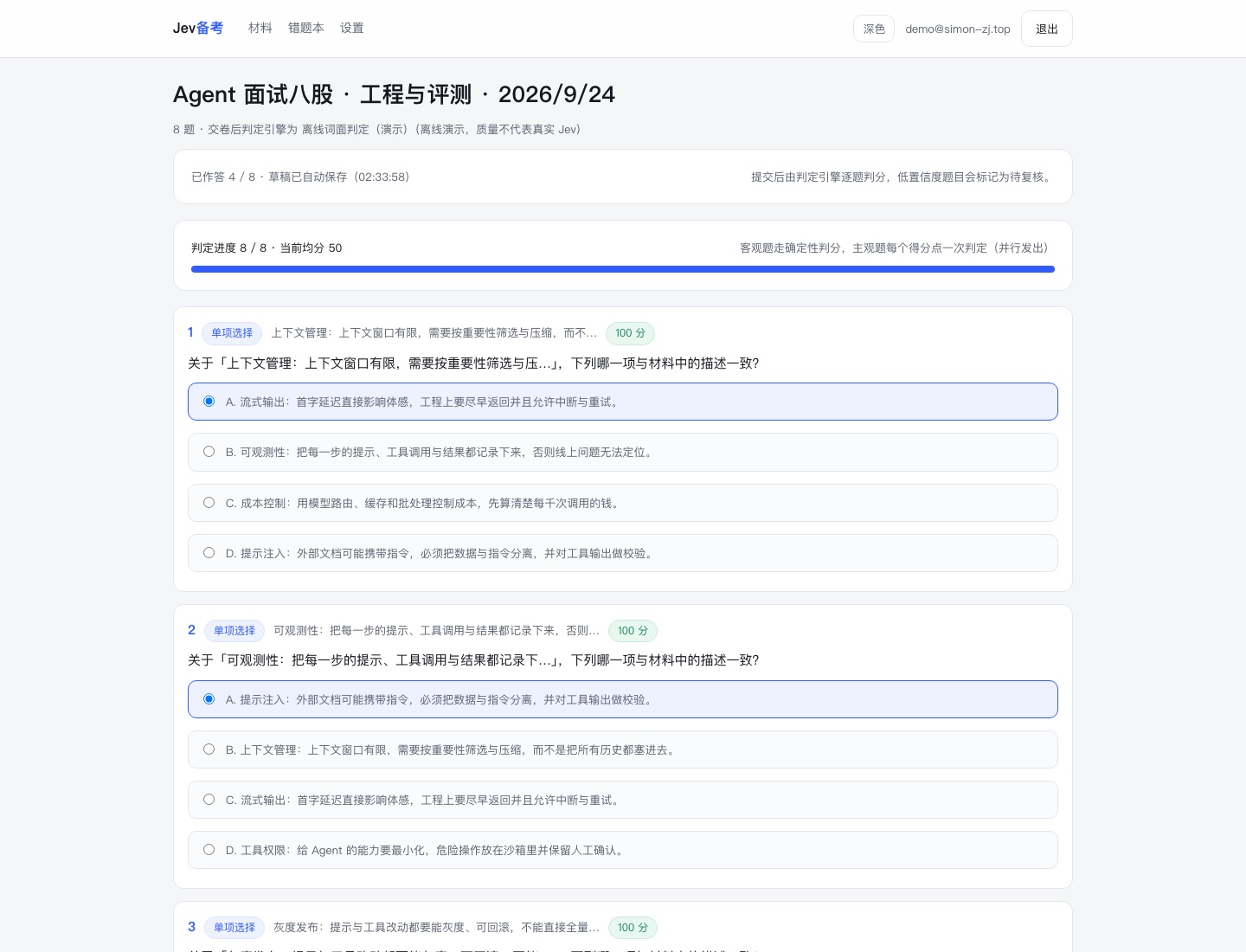
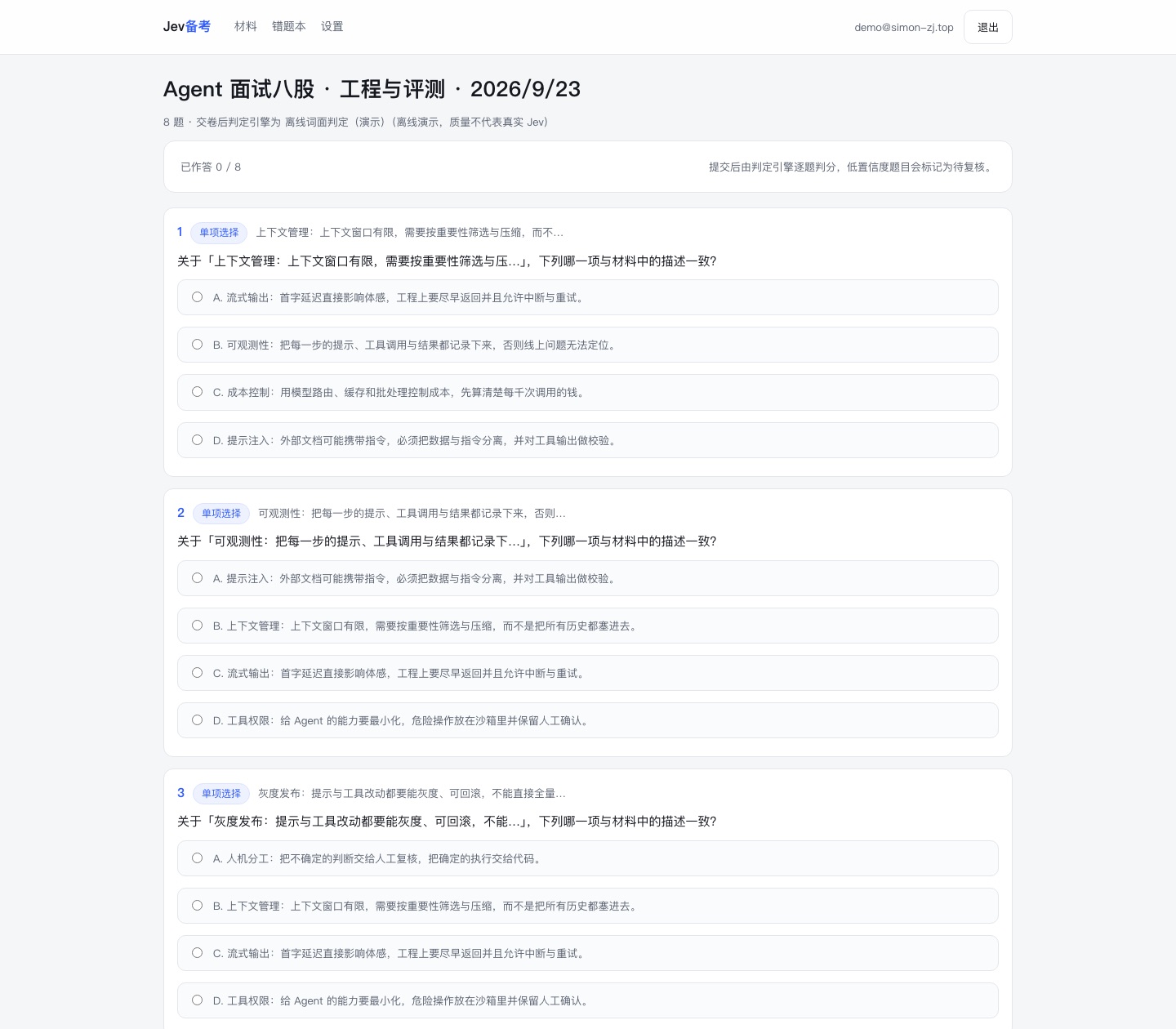
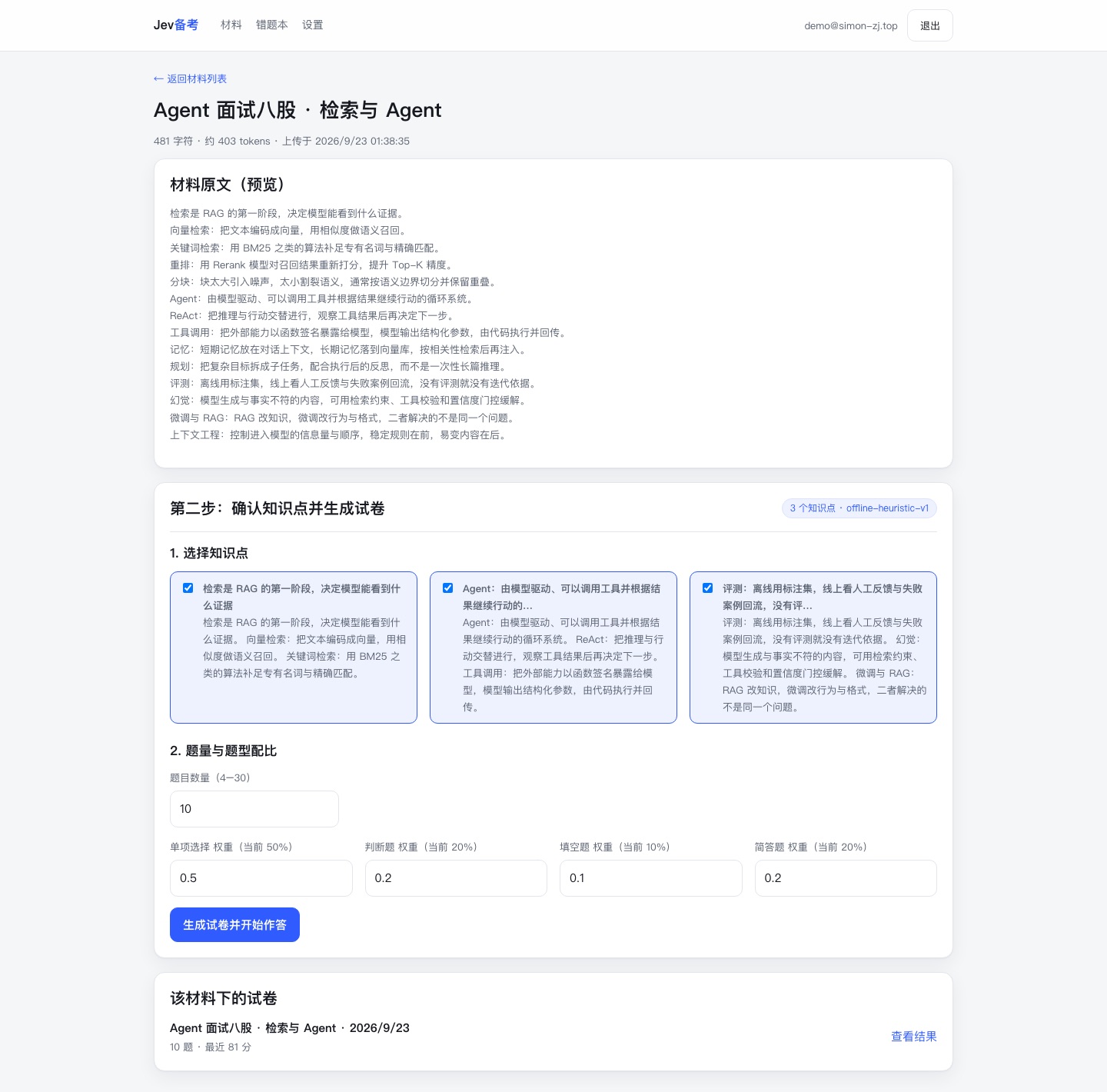
上传 PDF / Word 或粘贴一段材料,自动切分知识点,生成单选、判断、填空和简答。
Upload a PDF or Word file, or paste text: get topics, multiple-choice, true/false, cloze and short-answer questions.
就这份材料提问,回答逐句带引注,能点回原文(PDF 还能给到页码);材料里没有的会明说。
Ask about the material and get an answer cited sentence by sentence, linking back to the source (with page numbers for PDFs); anything the material does not cover is stated plainly.
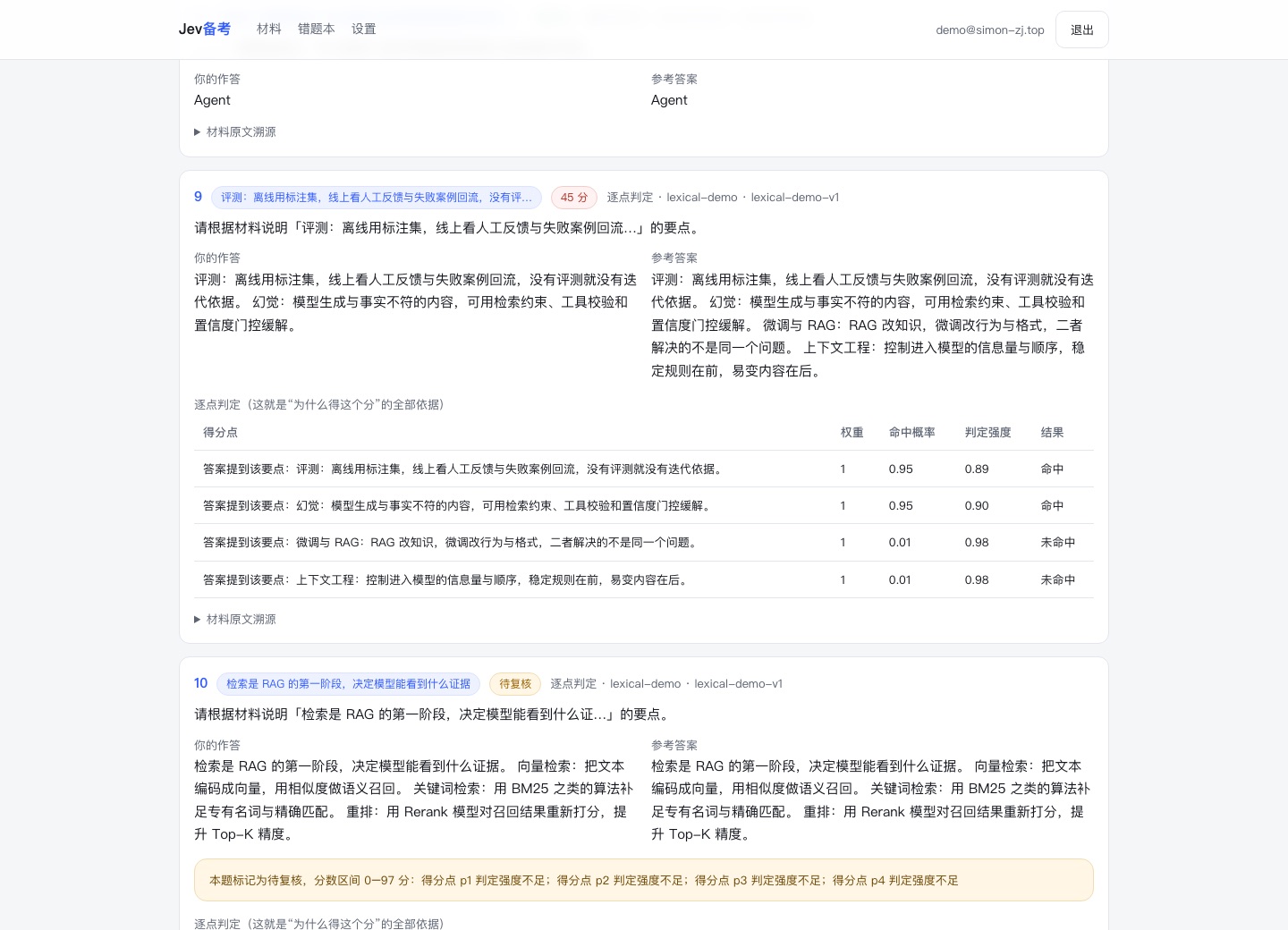
简答题不是给一个 0–100 的黑盒分数,而是逐条判定「这个要点说到了没有」。
A written answer is graded point by point instead of receiving one opaque 0-100 score.
模型没把握的题目标记为「待复核」,给出分数区间,并且不计入掌握度。
Low-confidence judgments are flagged with a score range and excluded from mastery tracking.
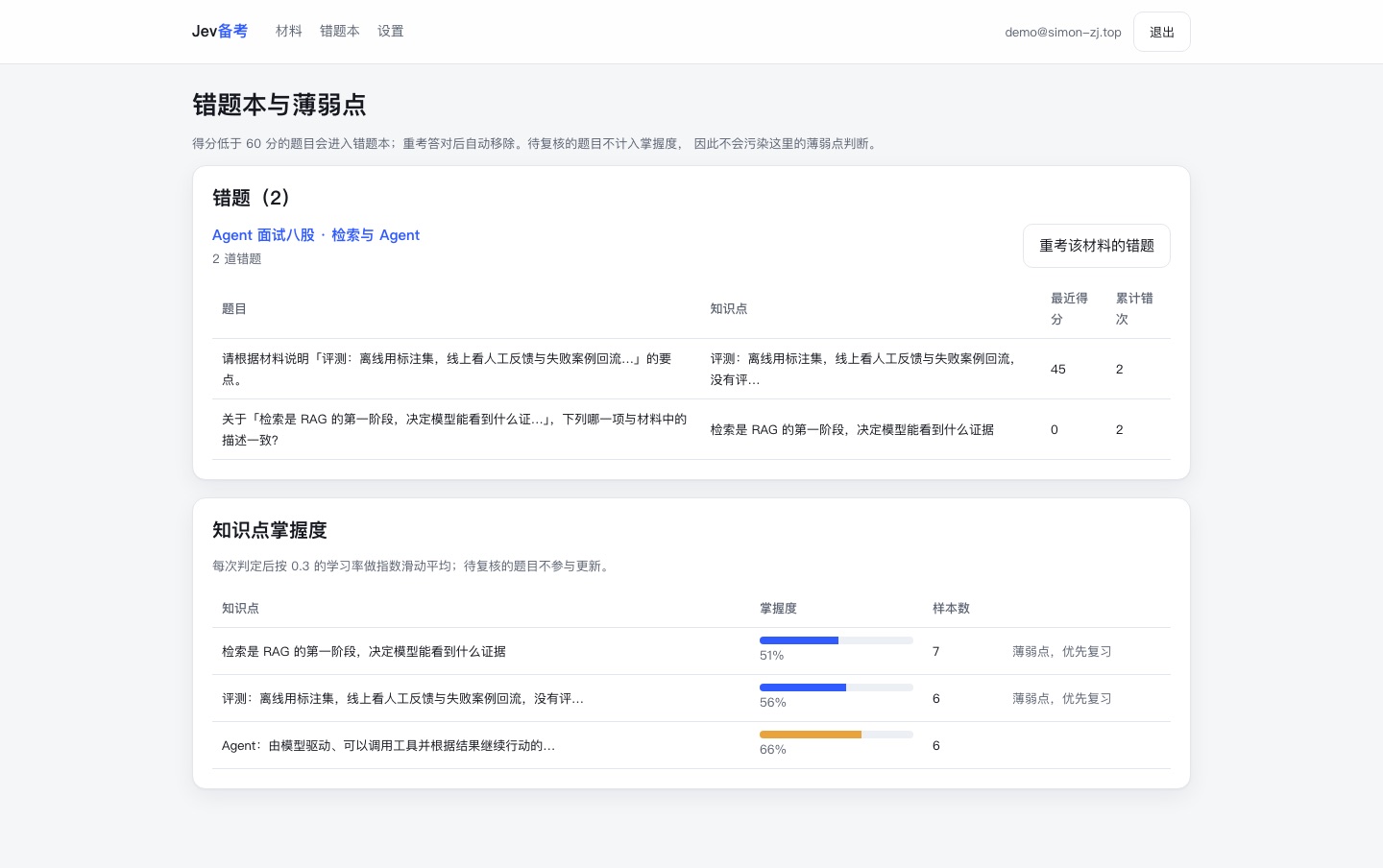
自动收集错题,按知识点聚合掌握度,一键重考错题;失分的题目还会按 FSRS 自动进入复习排期。
Mistakes are collected, mastery is aggregated per topic, retakes reuse the same questions, and lost points are scheduled for spaced review with FSRS.
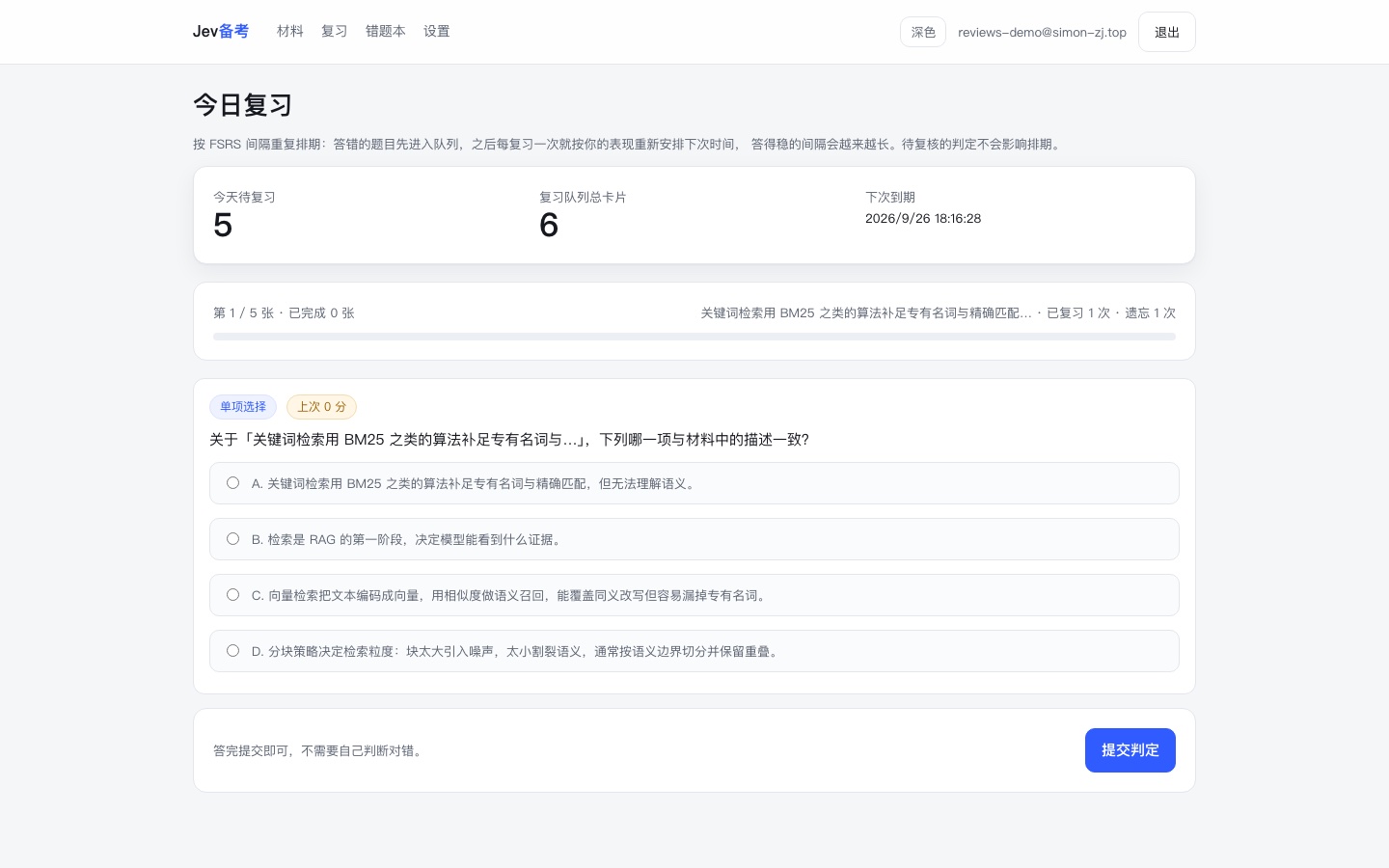
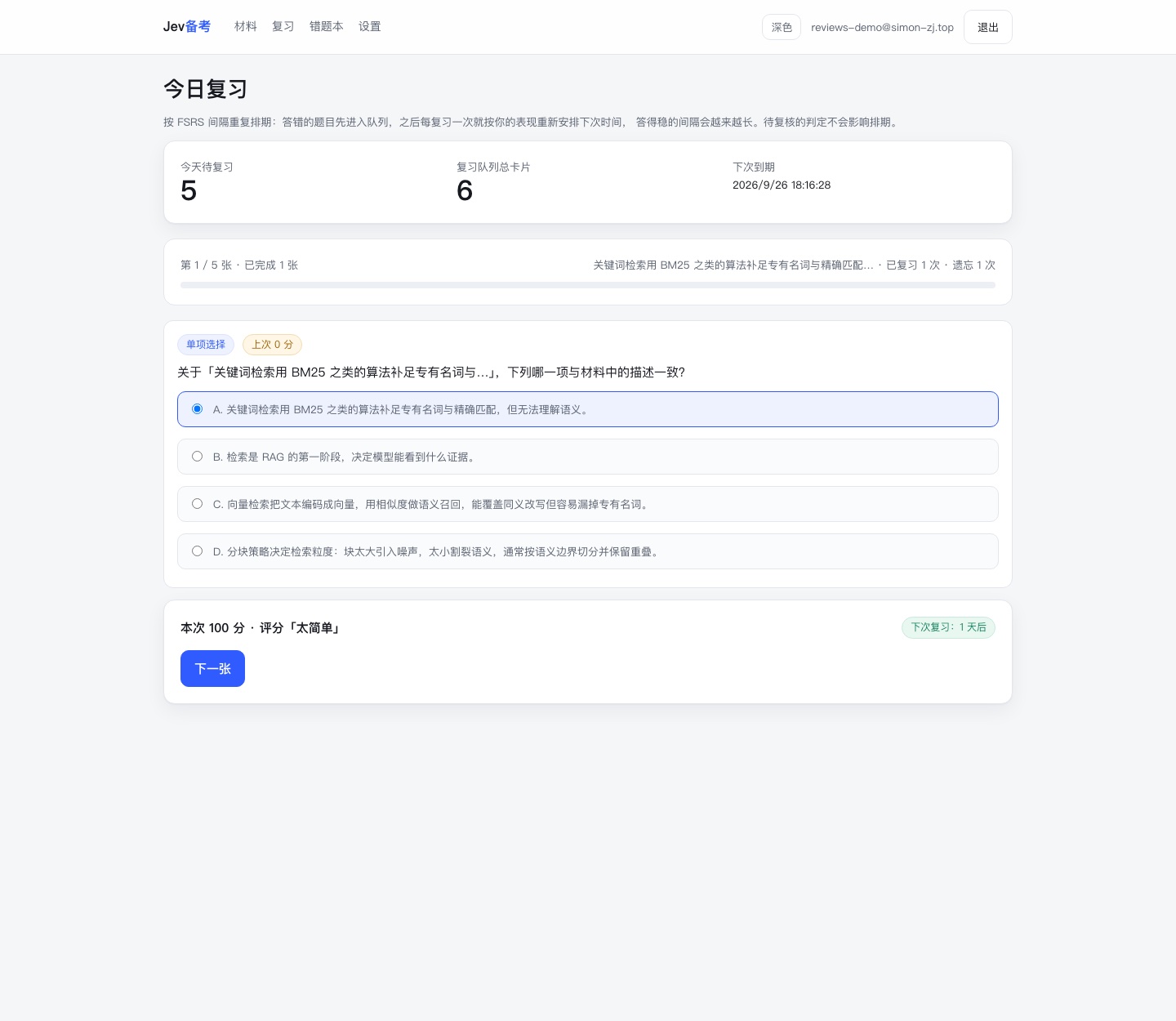
只有错题本是不够的——记下错题不等于记住它。交卷之后,每一道失分的题目会立刻进入复习队列(当天即可重来),之后按 FSRS-5 安排下一次出现的时间。
A mistake log alone is not enough: recording a mistake is not the same as learning it. After submission, every question you lost points on enters the review queue immediately (due the same day), and FSRS-5 schedules when it comes back.
不用先把资料转成纯文本。上传 PDF 会逐页解析并记录每一页在正文里的位置,Word(.docx)取正文;解析结果先回填到表单让你确认,确认后才保存——解析错的段落不会悄悄进材料。扫描件与图片型 PDF 提取不到文字时会直接说清楚,而不是给你一份空材料。
You no longer have to convert your notes to plain text first. PDFs are parsed page by page and each page's position inside the body is recorded, so a citation can point at a page; Word files give up their .docx text. Extraction only fills the form — nothing is saved until you confirm it, so a bad extraction never lands in your material silently. Scanned or image-only PDFs are reported as having no text instead of producing an empty material.
.doc 会提示先另存为 .docx,加密 PDF 也会给出对应的中文提示。.doc files are asked to be re-saved as .docx, and encrypted PDFs get their own Chinese error message.npx eyedot extract --file 笔记.pdf --out material.md,Agent 用同一份正文出题。npx eyedot extract --file notes.pdf --out material.md, so an agent can quiz you on the exact same text.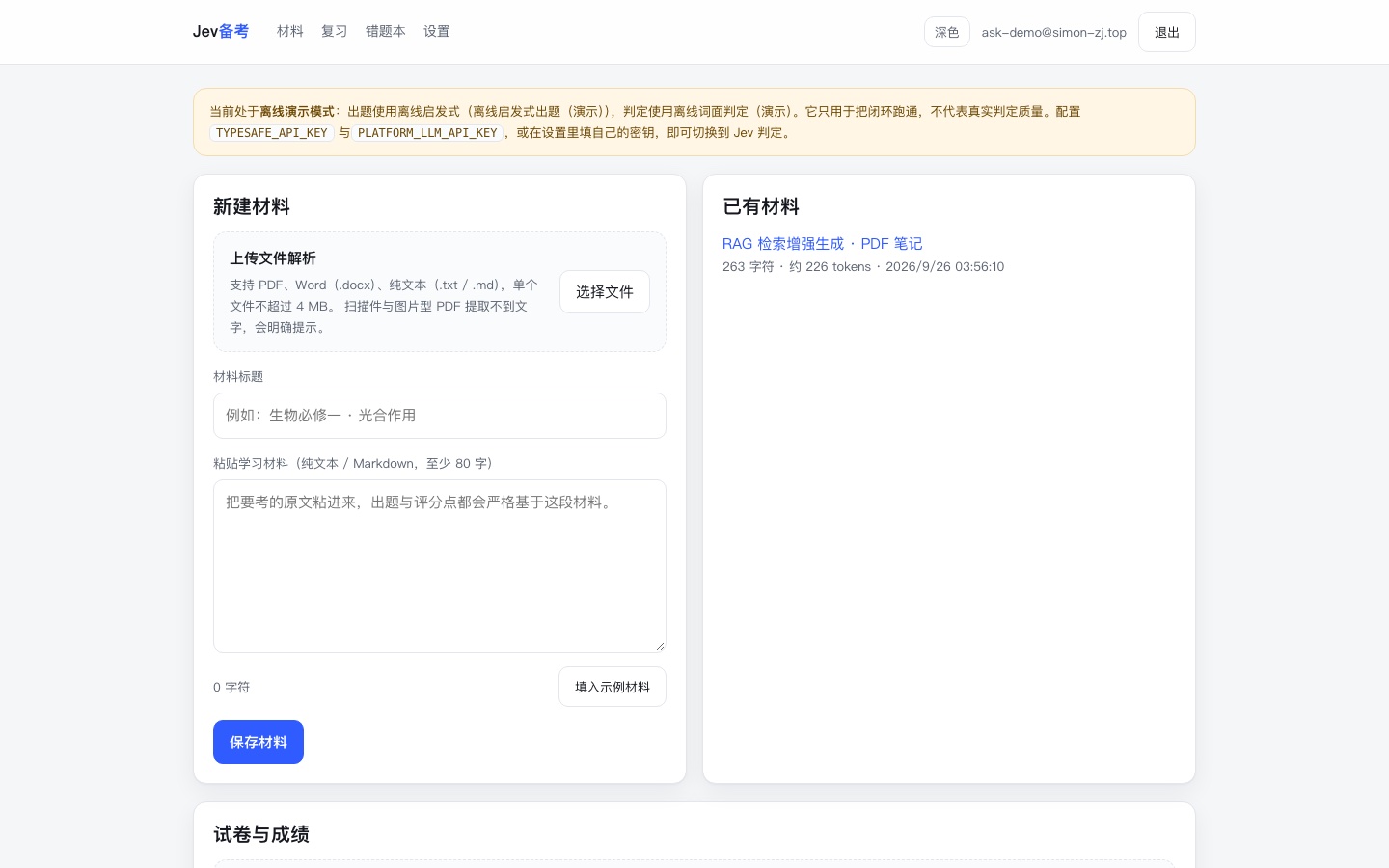
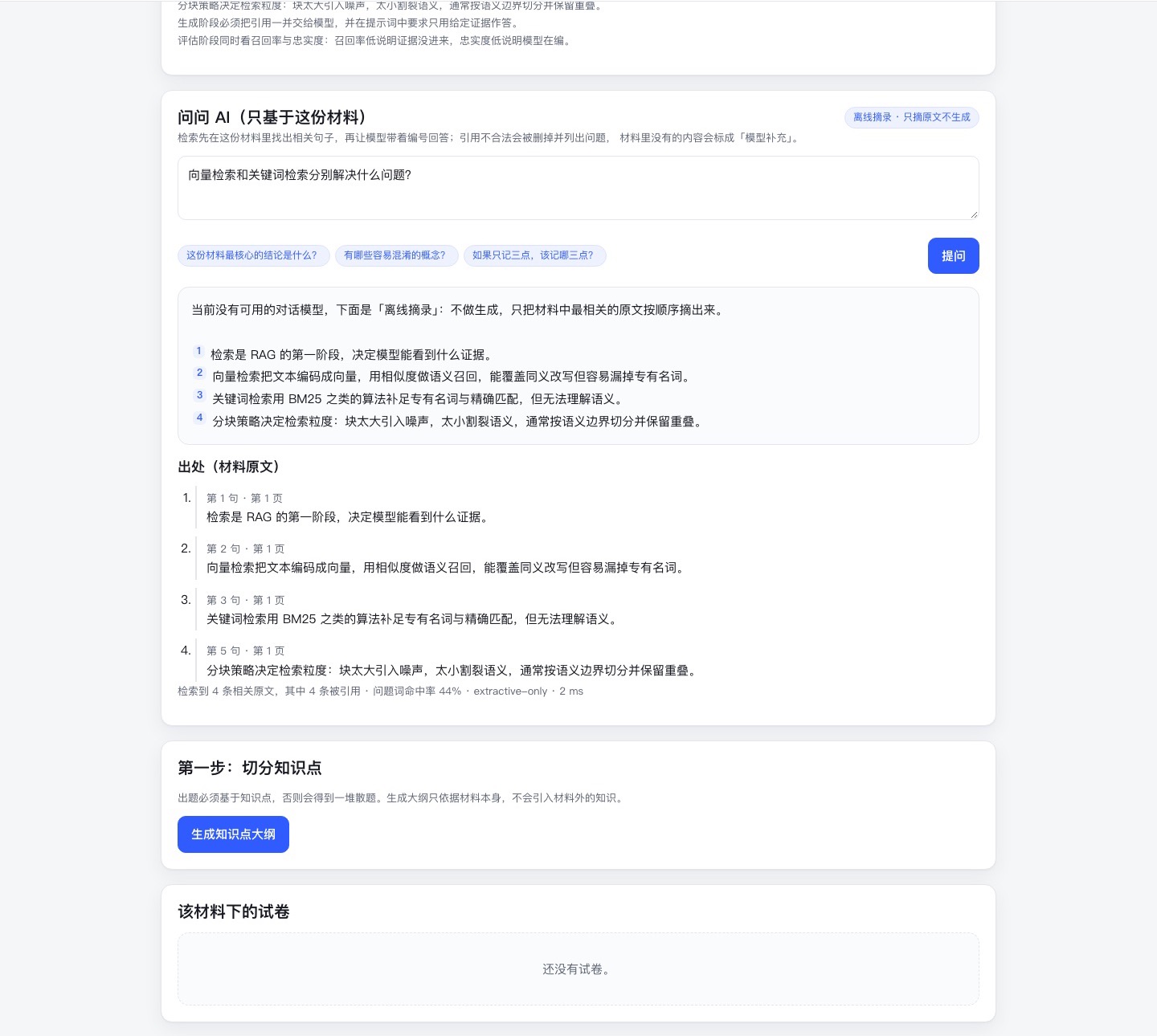
第二个能力是「就这份材料提问」。做法不是把整份材料塞给模型,而是先在材料内检索出最相关的几句,编号后交给模型,要求它每句事实性陈述都带上引注;回答回来之后再逐条校验。
The second capability is asking questions about the material. Instead of stuffing the whole document into a prompt, the app retrieves the most relevant sentences, numbers them, and requires the model to cite a number on every factual sentence — then verifies the citations after the answer comes back.
模型只能引用给定编号;编造出 [9] 这类越界编号会被代码直接删掉,并作为一条核验提示列出来,而不是留在正文里假装有出处。
The model may only cite the numbers it was given. An invented marker like [9] is deleted by code and reported as a verification issue instead of being left in the text looking like a source.
没有带引注、又有实质内容的句子会被单独列成清单;材料之外的知识必须另起一句、以「【模型补充】」开头。
Substantive sentences without a citation are listed separately, and anything outside the material must start a new sentence tagged "model-added".
材料里找不到相关句子时,直接回答「材料里没有直接说明」,不调用模型、不消耗额度。没有配置对话模型时降级成「离线摘录」:只摘原文,不做生成。
When no relevant sentence exists, the app answers "the material does not say" without calling a model or spending quota. With no chat model configured it degrades to an offline extract: raw sentences only, no generation.
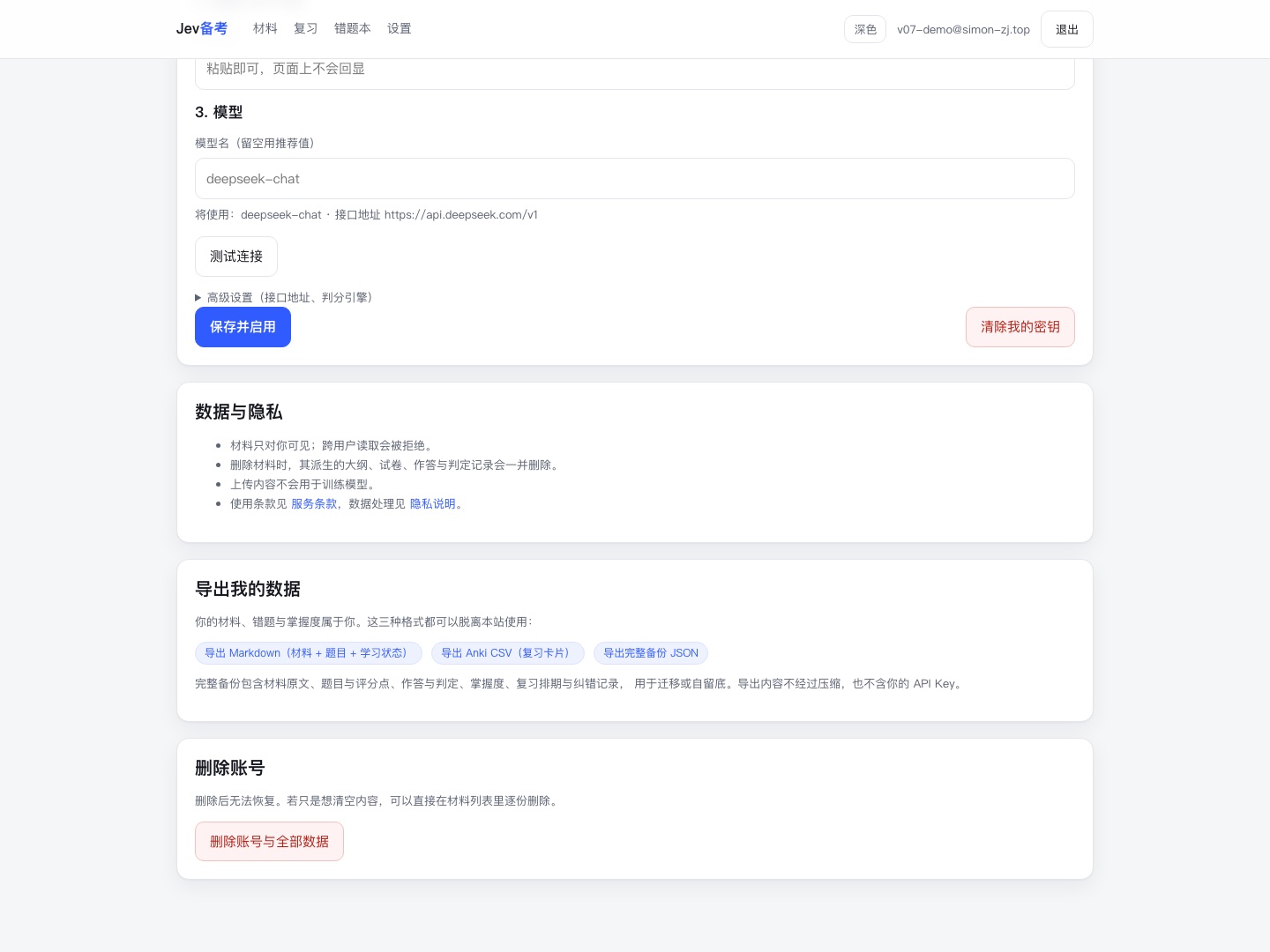
学习工具最容易被抱怨的两件事:数据被锁住、判错了还没处说。这两条都做了具体实现,而不是写在文案里。
Two complaints kill study tools: data you cannot get out, and a wrong grade with nowhere to report it. Both are implemented, not just promised in copy.
Markdown(材料正文 + 题目与评分点 + 学习状态)、Anki CSV(复习卡片,按 RFC 4180 转义)、完整备份 JSON(含材料、作答、判定、掌握度、复习排期)。都不压缩、不含你的 API Key。
Markdown (material, questions and rubric points, learning state), Anki CSV (review cards, RFC 4180 escaped) and a full JSON backup covering material, answers, judgments, mastery and review schedule. Uncompressed, and never containing your API key.
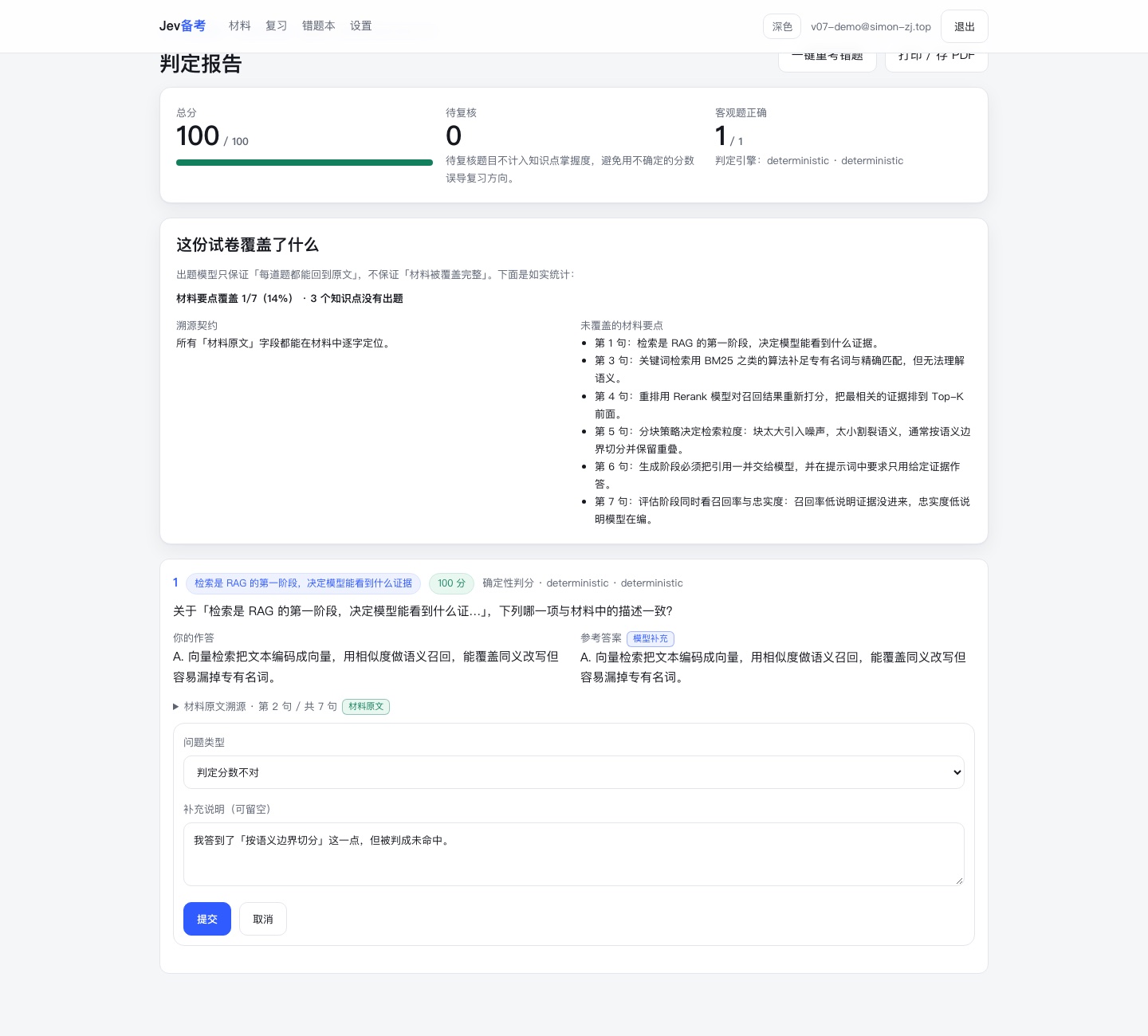
结果页每题都有「这题判错了?」。提交时会把当时的题目、你的作答、逐得分点的概率和引擎版本一起存下来——判定逻辑会迭代,只记一个题目 ID,三个月后回看已经无法复核。
Every question has a "graded this wrong?" button. Submitting freezes the question, your answer, the per-point probabilities and the engine version — grading logic evolves, so a bare question ID would be unreviewable three months later.
npm run feedback:golden 把上报导出成金标准候选,人工确认标签后再并入评测集。这是把标注集从 12 题做到 60–100 题最省力的来源,而不是靠自己编题。
npm run feedback:golden exports reports as benchmark candidates; after a human confirms the labels they join the golden set. That is the cheapest path from 12 items to the 60–100 target, instead of inventing questions ourselves.
设置页输入邮箱二次确认后删除账号与全部派生数据,会话立即失效。另有独立的服务条款与隐私说明,写清数据处理、版权责任与生成内容免责。
Settings deletes the account and every derived record after an email confirmation, and the session dies immediately. Separate terms and privacy pages spell out data handling, copyright responsibility and the limits of generated content.
这里有一个容易混淆的地方:判定层不是「一个会打分的聊天模型」。它只回答一个很窄的问题——这个得分点说到了没有——然后给出类型化概率(命题为真的概率、选项的概率分布、有序 rubric 上的分数),不生成任何解释文字。同一个接口下也可以换成 Jev 这类决策模型(System One),或者干脆不用模型。所以整条链路上有三种明确的角色分工。
One distinction matters: the grader is not "a chat model that hands out scores". It answers one narrow question — was this rubric point covered — and returns typed probabilities rather than prose. The same interface can be backed by a decision model such as Jev (System One), or by no model at all. That splits the pipeline into three explicit roles.
「凭什么相信这个分数」不应该靠信任,而应该能逐条核对。项目把三件事写成了契约,并且做了校验:
"Why should I trust this score" should not require trust. Three things are written as contracts and verified in code:
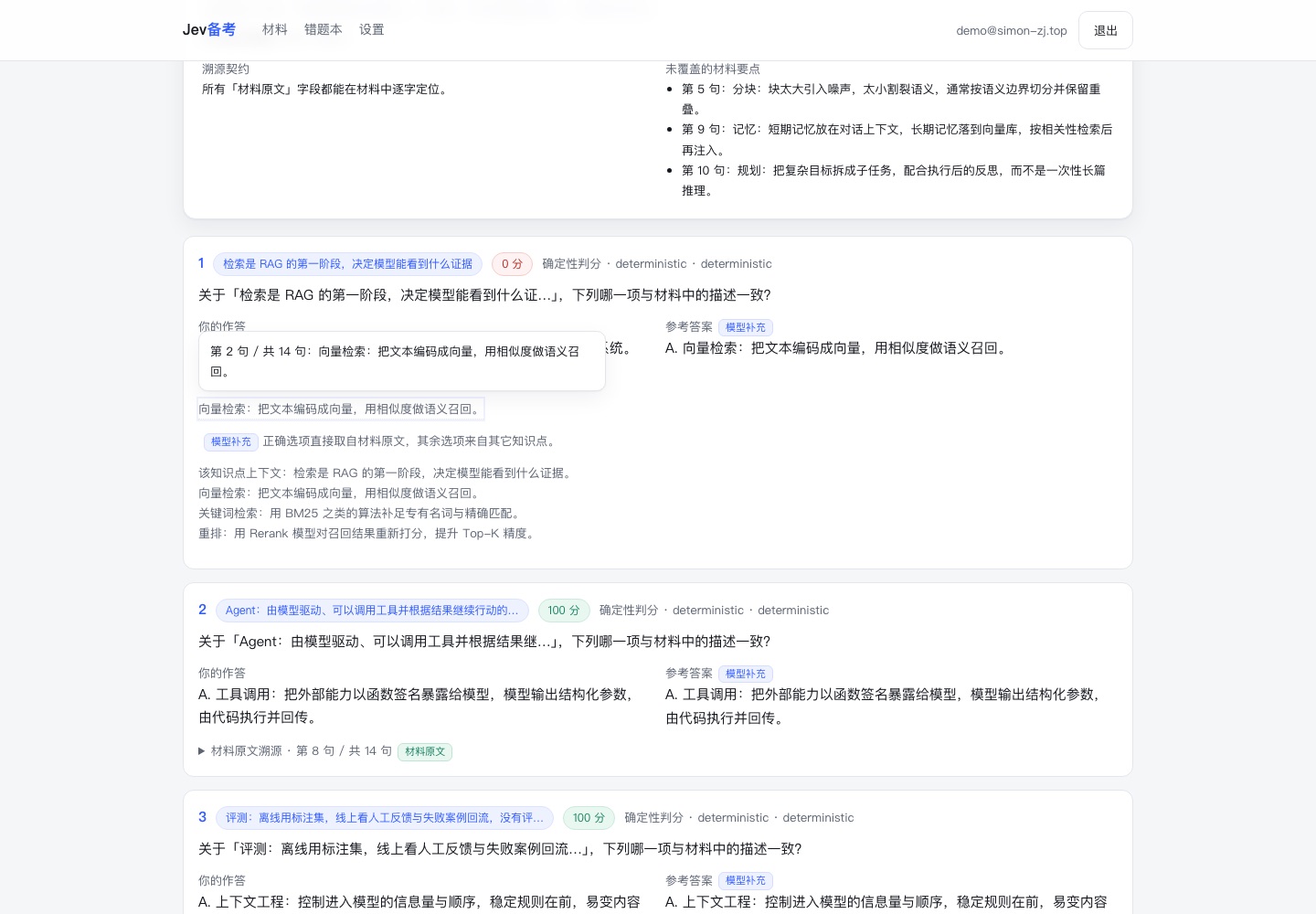
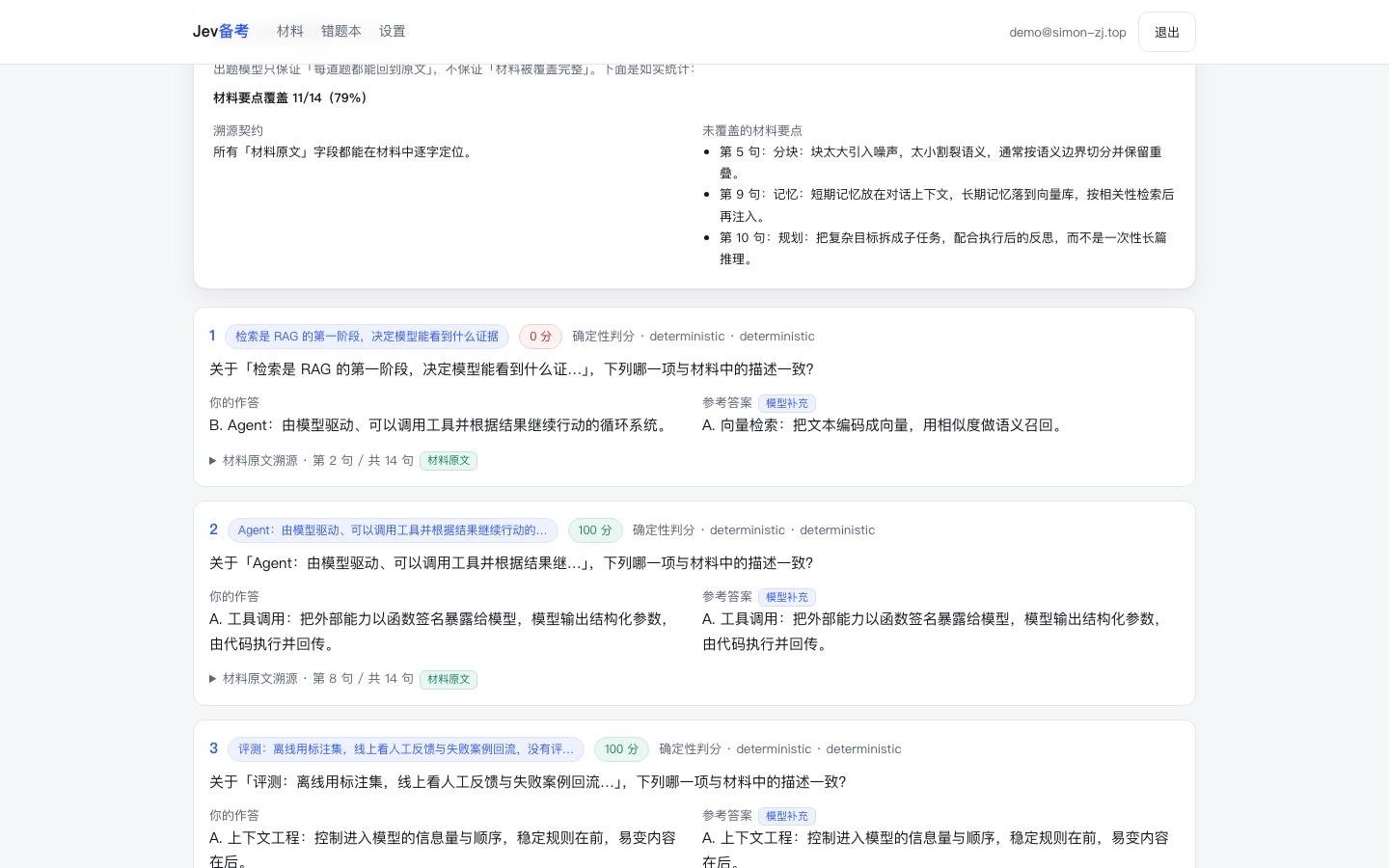
题目的出处与每个得分点的依据,必须逐字出现在材料中;定位失败会被记为违规并在报告里列出。报告里所有字段都带标签:材料原文 / 模型补充。
A question's source and every rubric point's evidence must appear verbatim in the material. Failures are reported as violations, and every field is tagged material or model-added.
材料会被切成要点单位,没有被任何题目覆盖的部分会被如实列出来(例如「覆盖 11/14」),而不是暗示这份卷子覆盖了全部内容。
The material is split into units, and anything no question covers is listed honestly (for example "11/14 covered") instead of implying full coverage.
判定强度不足的得分点会让整题变成「待复核」,给出分数区间,并且不计入知识点掌握度。
A weakly judged key point turns the question into "needs review" with a score range, excluded from mastery tracking.
DecisionEngine):默认是通用大模型判定,TypeSafe Jev 与词面基线是另外两个实现。供应商涨价、模型下线、或者出现更好的判定方式时,换实现不需要动业务代码。DecisionEngine): a general-LLM judge by default, with TypeSafe Jev and a lexical baseline as the other two implementations. A price change, a model sunset or a better judging method replaces one file, not the product.ON DELETE CASCADE 外键,出题、删材料、删账号等关键多步写入在单事务里提交;每日额度用条件更新原子占用,避免并发请求同时穿过闸门。数据库当前按 Neon Free Tier 起步,备份、监控与升级触发写进了 docs/operating.md。ON DELETE CASCADE foreign keys; critical multi-step writes such as creating an exam or deleting material/account commit in one transaction; daily quotas are reserved atomically with conditional updates. The database starts on Neon Free Tier, with backups, monitoring and upgrade triggers documented in docs/operating.md.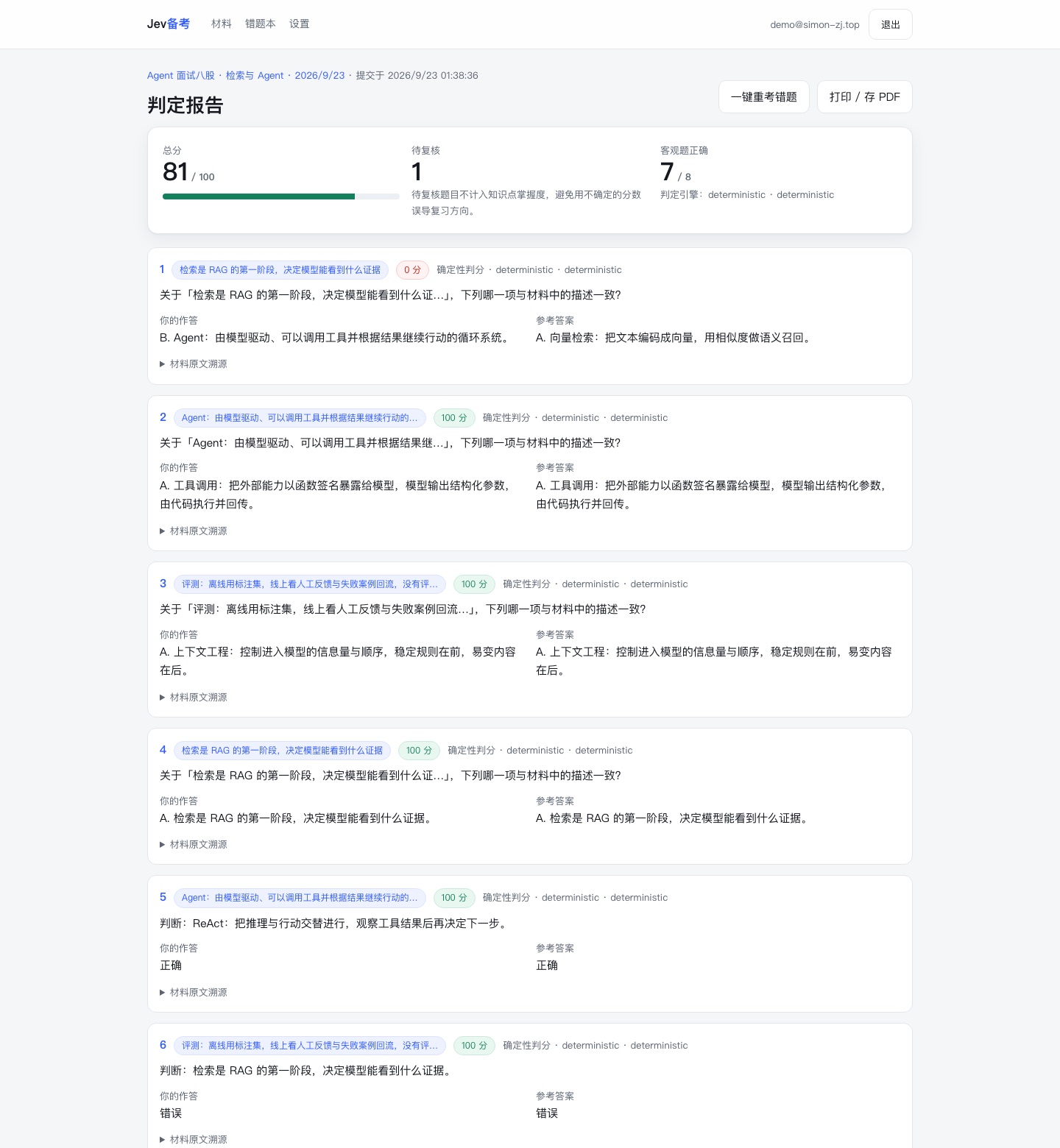
项目自带一个判定评测脚本和一份小规模金标准集(12 道主观题、42 个得分点,逐点人工标注)。它输出逐点准确率、Brier 分数、校准分桶与自一致性,并设了门槛:逐点准确率不低于 90%,且校准分桶单调。
The project ships an evaluation harness with a small golden set (12 written questions, 42 labelled rubric points). It reports per-point accuracy, Brier score, calibration buckets and self-consistency, with a gate of at least 90% accuracy and monotonic calibration.
有意思的是,把「离线演示引擎」放进去跑:逐点准确率 71.4%、Brier 0.216,校准分桶单调(0.6–0.8 档 60%、0.8–1.0 档 80%),但 12 道题里有 9 道因为判定强度不足被标成「待复核」。这正是要把「判定强度」做成一等公民的理由:词面重合能蒙对一些点,却给不出可用的把握程度,而这件事必须有数字,不能靠感觉。
Run the offline demo engine through it and you get 71.4% per-point accuracy with a Brier score of 0.216 and monotonic calibration — but 9 of the 12 questions are flagged for review because their judgment strength is too low. Word overlap can guess some points right while being unable to say how sure it is, and that is why the gate is a number rather than an opinion.
| 适合 | Good fit | 不适合 | Poor fit |
|---|---|---|---|
| 有明确要点的背诵型材料(面试八股、法条、术语、流程) | Memorisation-heavy material with explicit points | 需要执行或符号验证的题(复杂计算、代码正确性) | Tasks needing execution or symbolic checking |
| 要点式简答:判断「说到了没有」 | Point-based written answers | 创新写作、开放论述的“好坏”评价 | Judging the quality of open-ended writing |
| 量大、需要成本的批量判定 | High-volume, cost-sensitive grading | 需要模型给出解释理由的场景(Jev 只给概率) | Scenarios demanding a written justification |
它原来叫「Jev 备考」——拿判定引擎的名字当产品名。这其实是个陷阱:引擎在架构上是可替换的(DecisionEngine 有三个实现),名字却焊死在一家供应商上;而且中文用户念不出 Jev,搜 Jev 搜到的也是那个模型,不是这个产品。
It used to be called "Jev Exam" — the product named after its grading engine. That is a trap: the engine is swappable by design (three DecisionEngine implementations), while the name would have been welded to one vendor, and nobody searching for the product would have found it behind the model's own results.
改叫「点睛」,是因为画龙点睛说清了它真正在做的事:重要的不是总分,是缺的那一点。这个名字也直接画进了图标——左边三条长短不一的横线是材料里的要点(长度不一,因为要点本来就不等长),右边三个圆是一次判定的三种结果:命中、未命中、待复核;其中命中的那一点是琥珀金,那是整张图里唯一被点亮的颜色,也是吉祥物点头顶悬着的那一点。把「待复核」留成第三只圆,则是提醒自己:不确定必须是第一公民,不能做成一个假装确定的分数。
The new name says what the product actually does: the score is not the point, the missing point is. It is drawn into the icon too — three bars of unequal length are the points in your material, and the three circles are the three outcomes of one judgment: hit, miss, needs review. The hit is the only warm colour in the whole mark, the same amber as the dot floating above the mascot. Keeping "needs review" as a third circle is a reminder that uncertainty is a first-class citizen here, not an exception hidden behind a confident-looking number.
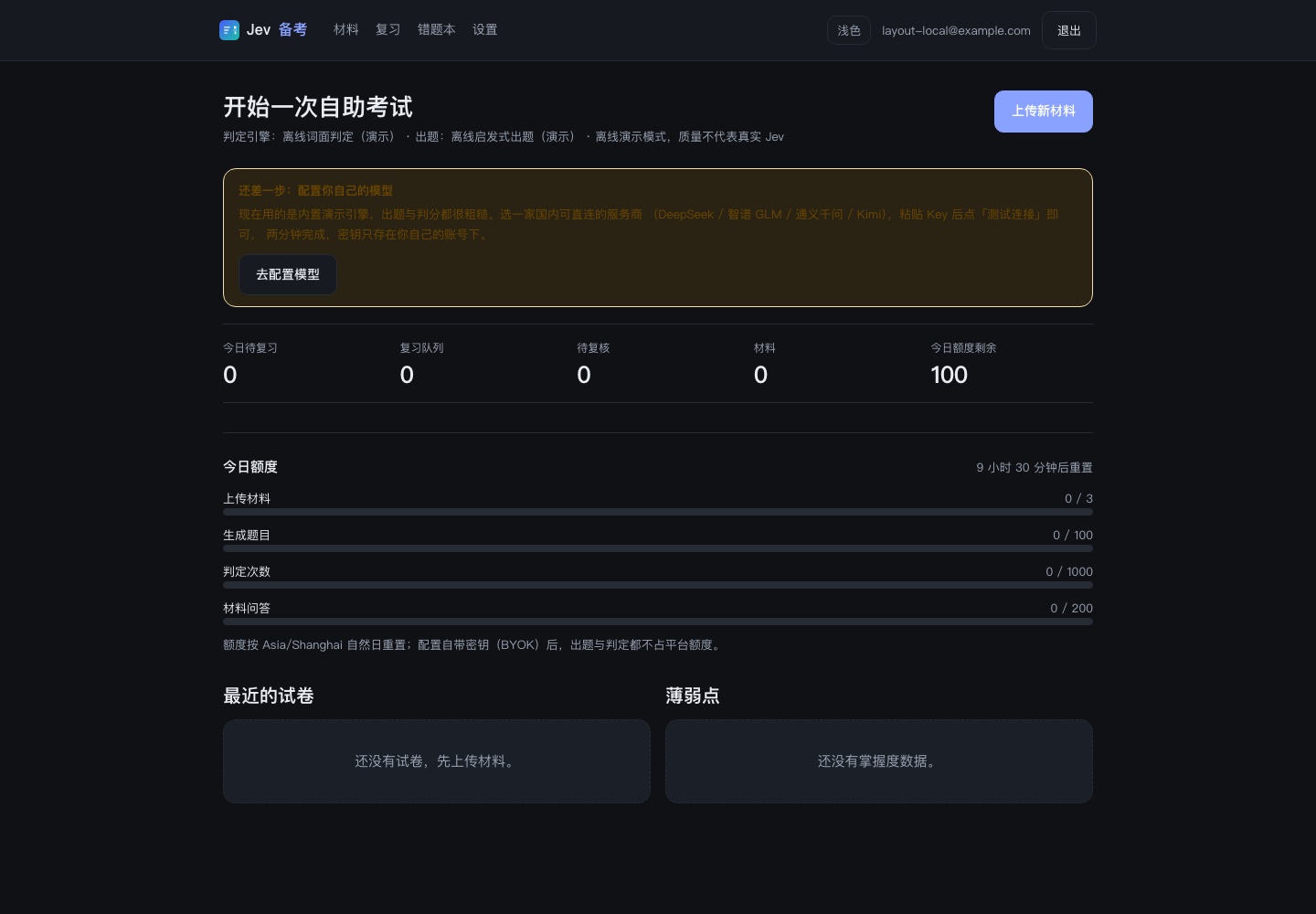
有两种用法。Web 应用是完整闭环:克隆仓库、装依赖、填一个模型密钥(平台统一出题与判定,也可以自带密钥),本地跑起来即可。没有密钥也能运行,只是会退化成离线演示模式,界面上会明确标注。
There are two ways to use it. The web app is the full loop: clone the repository, install dependencies, provide one model key (the platform can grade and generate for you, or bring your own), and run it locally. It also runs without any key, degrading to a clearly labelled offline demo mode.
另一种是 Agent Skill:把仓库克隆到 Codex / Claude Code 的 skills 目录,然后在对话里说「用这份材料考我」。出题由 Agent 完成,校验、判定与报告渲染由命令行完成,不需要服务器和数据库。
The other is an Agent Skill: clone the repository into the skills directory of Codex or Claude Code and ask it to quiz you on a material. The agent writes the questions; verification, grading and report rendering run from the command line, with no server or database.
判定能力还做成了命令行与 MCP:npx eyedot verify / grade / render,或把 MCP server 挂进 Agent(四个工具:校验、出模板、判分、渲染)。这样同一套判定实现既能用在网页里,也能被 Codex、Claude Code、Cursor 直接调用——不用自己拼 shell 命令。
The same grading capability also ships as a CLI and an MCP server: npx eyedot verify / grade / render, or register the MCP server so an agent can call four tools (verify, template, grade, render) directly instead of assembling shell commands.
npx eyedot verify --material m.md --exam exam.json --strict
npx eyedot verify --material m.md --exam exam.json --strict
npx eyedot grade --answers answers.json --engine auto
npx eyedot grade --answers answers.json --engine auto
claude mcp add eyedot -- npx -y eyedot@latest mcp
claude mcp add eyedot -- npx -y eyedot@latest mcp